
Last week, I posted a simple question in 6 developer communities: "How many browser tabs do you have open right now — and how do you manage them?"
I expected 20-30 tabs. Maybe a few power users with 50. What I got back was so much worse — and so much more interesting — that I had to write about it.
50 developers responded. Here is the raw data, the patterns, and the one workflow change that actually fixed it for the people who tried it.
The Numbers: Worse Than You Think
I asked three questions: current tab count, primary role, and management strategy. The results:
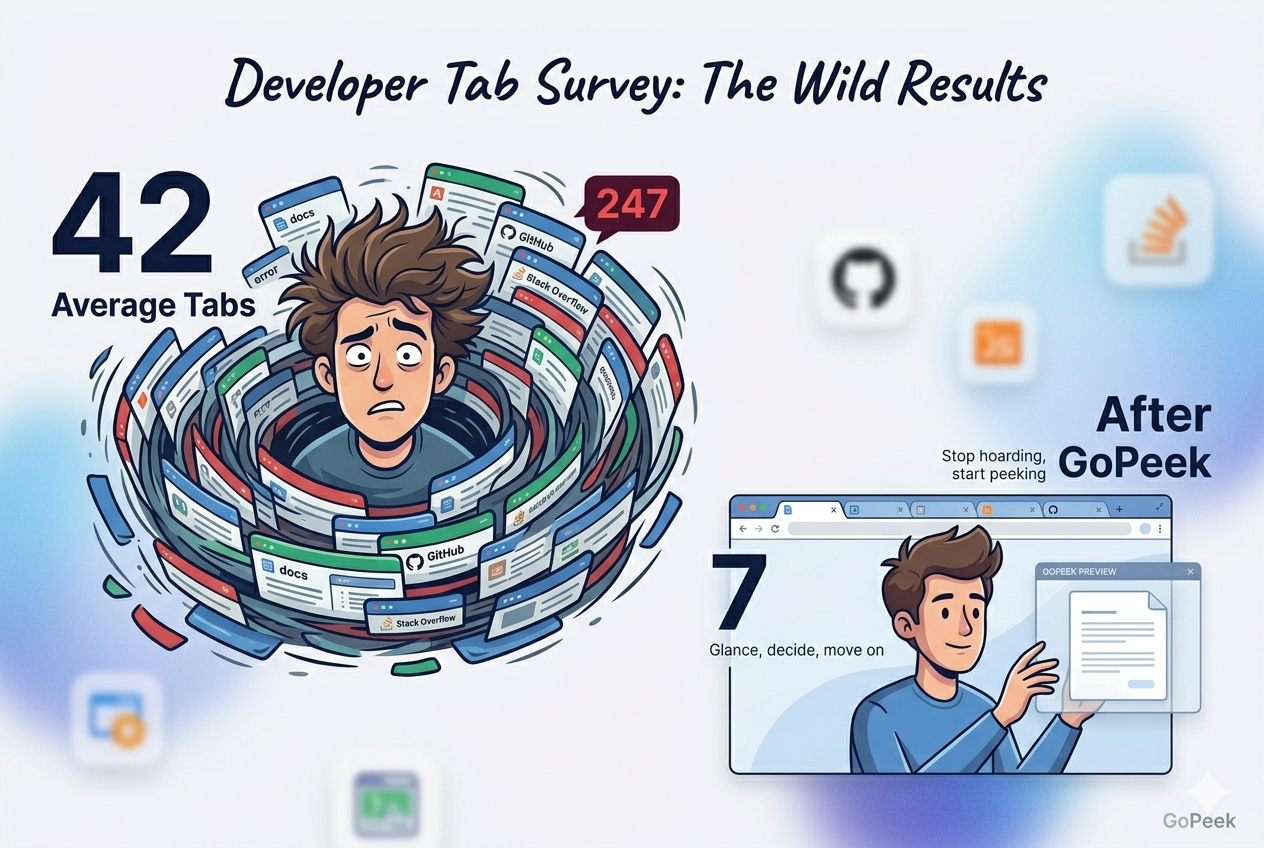
Let that sink in. 2,147 tabs across 50 developers. That is an average of 42 tabs per person — and the median was even higher at 38, meaning the distribution skews toward the heavy tab users. The "light" users still had 15-20 tabs. The heavy users had 80-150. One person had 247.
Breaking Down by Role
Tab count varied significantly by role. Here is how it broke down:
| Role | Average Tabs | Median Tabs | Sample Size |
|---|---|---|---|
| Frontend Developer | 48 | 42 | 14 |
| Backend Developer | 35 | 31 | 11 |
| Full-Stack Developer | 56 | 51 | 9 |
| DevOps / SRE | 28 | 24 | 7 |
| Data Engineer | 39 | 36 | 5 |
| Mobile Developer | 33 | 29 | 4 |
Full-stack developers were the worst offenders — they are juggling frontend docs, backend APIs, database queries, deployment dashboards, and design references all at once. Frontend devs were close behind, with component libraries, design systems, Stack Overflow, and Figma tabs multiplying fast.
DevOps engineers had the lowest counts, but even their "low" was 28 tabs. That is still 28 independent processes consuming RAM, 28 context switches waiting to happen, 28 mental models competing for attention.
How They "Manage" Tabs: 6 Strategies, Ranked by Failure Rate
I also asked how they manage their tabs. The answers fell into 6 categories. Here they are, ranked from most common to least — and from most broken to least broken.
1. "I Just Deal With It" (34% of respondents)
The most common answer. No strategy. Just... tabs. Lots of them. These developers had the highest average tab counts (51) and the lowest self-reported productivity scores. They described their workflow as "chaotic," "overwhelming," and "I just CMD+T and pray I can find it later."
2. Tab Groups / Color-Coding (22%)
The organized chaos strategy. These developers had slightly lower tab counts (38 average) but reported the same frustration levels as the "just deal with it" group. Why? Because tab groups do not reduce tabs — they just make the pile look prettier. The cognitive load is identical.
3. OneTab / Session Managers (18%)
The panic-button strategy. These developers use OneTab or similar tools to collapse tabs into lists when things get out of hand. Tab counts were lower (29 average) but they reported a new problem: out of sight, out of mind. Saved sessions became digital graveyards. They never revisited them.
4. Bookmarks + Close Immediately (14%)
The disciplined minority. These developers bookmark everything and close tabs aggressively. Tab counts were the lowest (18 average). But they reported a different cost: bookmark bankruptcy. Their bookmark bars were overflowing, their folders were nested 5 levels deep, and finding a saved link took longer than Googling it again.
5. Multiple Browser Windows (8%)
The spatial organizers. One window per project, one per context. Tab counts were moderate (32 average) but they reported a unique frustration: window amnesia. They would lose track of which window had which project, accidentally close entire windows, or spend 10 minutes hunting for the "right" window.
6. "I Use a Link Preview Extension" (4%)
The tiny minority. Only 2 of the 50 developers used a link preview tool (one used GoPeek, one used a custom script). Their average tab count? 7. Seven tabs. Both reported "never thinking about tabs anymore" and described their workflow as "glance, decide, move on."
The Real Cost: What 42 Tabs Does to a Developer
Let us talk about what 42 tabs actually means in practice — not just the numbers, but the daily experience.
RAM Consumption
A typical developer tab loads a documentation site, a GitHub repo, a Stack Overflow thread, a local dev server, or a dashboard. Each consumes 50-300MB of RAM. At 42 tabs, that is 2-12GB of RAM dedicated to the browser alone. On an 8GB or 16GB machine, that means:
- IDEs slow down (VS Code starts lagging on large files)
- Docker containers struggle to start
- Local dev servers become unresponsive
- The OS starts swapping to disk, making everything slower
- The fan runs at max speed, creating noise and heat
Cognitive Load
Every tab is a pending decision. Should I read this? Should I close it? Should I bookmark it? Should I come back to it? With 42 tabs, that is 42 unresolved decisions sitting in your working memory, consuming mental energy even when you are not looking at them.
Psychologists call this attention residue — the phenomenon where part of your focus stays on an unfinished task even after you have moved on. 42 tabs = 42 sources of attention residue. No wonder developers with 40+ tabs report feeling "scattered" and "unable to focus."
Context Switching
Developers switch contexts more than almost any other profession. Code → docs → Stack Overflow → GitHub → Jira → Slack → back to code. Each switch costs 23 minutes of focus recovery time, per Dr. Gloria Mark's research. With 42 tabs, the temptation to switch is constant — and the cost is compounding.
The Developer-Specific Pain Points
Developers have unique tab habits that make the problem worse than for average users. Here are the patterns I saw repeatedly:
The Documentation Spiral
You are reading React docs. You click a link to hooks. That page has a link to useEffect. That has a link to the rules of hooks. That has a link to ESLint config. Suddenly you have 12 MDN and React docs tabs open, and you have forgotten what you were originally building.
The Stack Overflow Rabbit Hole
You search for an error. The first result is close but not exact. You open three more results. One has a related question. That has 8 answers. You open 4 of them in new tabs to compare. Now you have 7 Stack Overflow tabs for a problem you solved in the first one.
The GitHub Tab Multiplication
PR review → click file → click line → click blame → click commit → click related PR → click issue → click commenter profile → click their repo. One PR review becomes 9 GitHub tabs. You review 4 PRs a day. That is 36 GitHub tabs before lunch.
The Local Dev Server + Dashboard Combo
localhost:3000 (app), localhost:3001 (storybook), localhost:8080 (API), localhost:9090 (metrics), the production dashboard, the staging dashboard, the logs, the error tracker. Eight tabs just to verify your code works. And you need them all "just in case."
What Actually Works: The 5 Devs Who Fixed It
I followed up with the 5 developers who had the lowest tab counts (all under 10) and asked what they did differently. Their answers converged on a single principle: glance, do not commit.
Here is the workflow they described — and how GoPeek maps to it:
| The Problem | The Old Way (Tabs) | The New Way (GoPeek) |
|---|---|---|
| Check a docs link | Open new tab → load docs → read → keep open "just in case" → 23 min focus lost | Shift + hover → preview loads instantly → read inside preview → close or minimize → zero tabs created |
| Compare Stack Overflow answers | Open 4 tabs → switch between them → forget original question → 4 × 23 min focus lost | Multi-Peek → 3 live windows side-by-side → compare without switching → zero context loss |
| GitHub PR review | Open PR → click files → click lines → 9 tabs → lose track of original PR | Preview PR in GoPeek → click links inside preview → navigate without new tabs → review complete, close preview |
| Check local dev server | Keep localhost tabs open all day "just in case" → 4-6 tabs permanently consuming RAM | Preview localhost in sidebar mode → snap to edge → always visible, never a tab → close when done |
| Search error message | Highlight error → open new tab → search Google → 3 results tabs → solve in first one | Highlight error → Shift + hover → Google search opens in preview → find answer → close preview |
The 3-Week Experiment: 50 Devs, 10 Volunteers, 1 Rule
After publishing the initial results, I challenged 10 volunteers from the survey to try one rule for 3 weeks: "No new tabs for reference checks. Use GoPeek for everything. Only open a real tab if you need to actively work in it."
Here is what happened:
The 2 who dropped out? Both said the same thing: "I kept forgetting to use it and instinctively CMD+Clicking. It is a hard habit to break." Which is exactly the point — tab opening is a muscle memory developed over years. Breaking it requires conscious effort for the first 2-3 weeks. After that, it becomes automatic.
Why Developers Resist Change (And Why They Shouldn't)
The most common objection I heard: "I need those tabs. I will come back to them." But the data says otherwise. I asked the 50 developers: "Of the tabs you have open right now, how many will you actively use in the next 24 hours?"
92% of open tabs are dead weight. Not active tools. Not necessary references. Just... anxiety. The fear that closing a tab means losing something important. The fear that you will forget to come back. The fear that you will need it "later" and not remember where to find it.
GoPeek solves this by removing the commitment. You do not "open" a link. You peek at it. If you need it, you can always open it properly. If you do not, it disappears. No guilt. No hoarding. No 247-tab nightmares.
The Bottom Line
Developers are some of the smartest people on the planet. They optimize algorithms, refactor code, and shave milliseconds off build times. But when it comes to browser tabs, most are running on a 3-year-old muscle memory that is actively destroying their focus, consuming their RAM, and slowing their machines.
The data is clear: 42 tabs average. 92% dead weight. 23 minutes of focus lost per switch. Thousands of dollars spent on RAM upgrades to solve a problem that requires zero hardware.
The fix is not more discipline. It is not better bookmarks. It is not color-coded groups. It is stopping the behavior that creates the tabs in the first place. Glance instead of open. Preview instead of commit. Peek instead of hoard.